
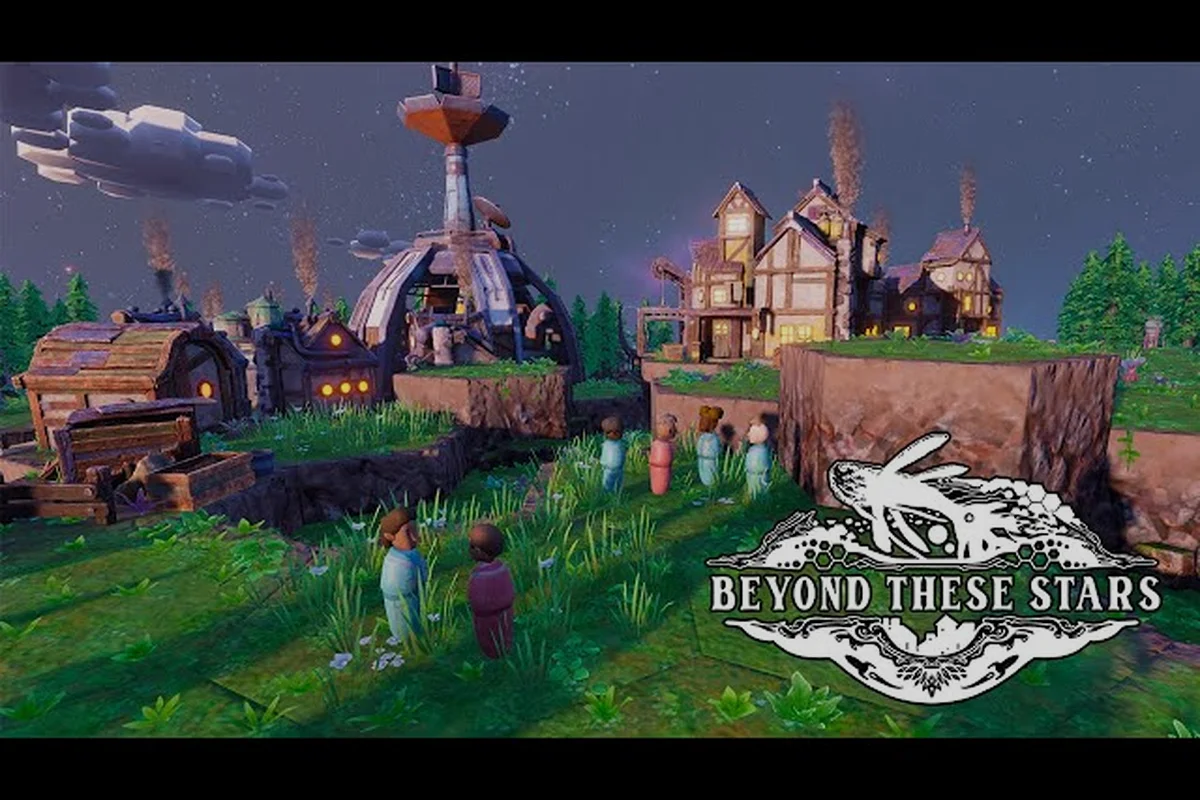
Beyond These Stars gameplay drops you onto the back of a sentient Space Whale named Kewa and asks you to build a living city across the stars. Released on 16 October 2026 by Balancing Monkey Games and published by Hooded Horse, the Windows PC city builder skips Early Access entirely and arrives straight at version 1.0. The control scheme is approachable for anyone who has played a colony sim before, and the core loop revolves around reading the needs of your Peeps, the happiness of Kewa, and the temperature of the galaxy around you. This guide walks through the controls, the hotkeys, the systems you'll be juggling, and the challenges that define the early hours, so you can move from confused newcomer to confident caretaker of an interstellar whale-back settlement. For the primary source, see the official YouTube channel.
Core Beyond These Stars Gameplay Systems at a Glance
Before touching a single key, it helps to understand what you're actually managing. Beyond These Stars is a city builder where the "ground" itself is a character. Kewa carries your entire colony across space, and Kewa's happiness, health, and the temperature of the galaxy all directly shape the wellbeing of your Peeps and the productivity of your buildings. The genre tags on Steam place it alongside Colony Sim, Base Building, Resource Management, and Automation titles, and the gameplay loop blends all four.
The verified resource loop pulls from a modest set of basics. Wood, Water, Chemicals, Wool, Cotton, Shell, top soil, and the food chain (potatoes, soup, livestock such as Sheep and Cows) flow through processing buildings like the Kitchen, the Pasture, the Weaver, the Tailor, the Burner, the Trawler, the Composter, and the Cleaner. The Home Spaceship is your earliest producer, slowly turning out the basics your first settlers need. Adjacency bonuses mean layout is not cosmetic; placing a building near complementary structures changes efficiency and travel time, so even early placement decisions matter.
Three meta-systems run in the background and are easy to miss until they bite you. The first is Shifts, which segment the working day of your Peeps and which the developer tied directly to Sickness risk in Dev Blog #25 (sickness chance rises at the start of a shift as energy falls). The second is Strikes, introduced in Dev Blog #23, where unhappy Peeps hold signs and block other Peeps, slowing the whole settlement, and a first strike lasts three shifts until you address the root cause. The third is Celebrations, documented in Dev Blog #22, which trigger when enough Peeps in one location pass a high happiness threshold and grant production, movement, and sickness bonuses. None of these systems is optional: ignoring them is the most common path to a slow collapse.
| System | What It Does | Where to Find It | Key Trigger |
|---|---|---|---|
| Shifts | Segments Peep work; affects energy and sickness | Build UI, shift clock | Time-based |
| Strikes | Unhappy Peeps slow the colony | Settlement alerts | 3-shift duration first time |
| Celebrations | High local happiness grants bonuses | Happiness meter | Threshold-based |
| Terraforming | Dig canals, add top soil, plant trees | Map tools | Player action |
| Pollution | Reduced by Tree Nursery and Cleaner | Biome health meter | Continuous |
The verified building roster stays focused. You can build a Home Spaceship, an Apothecary, a Fairground, a Kitchen, a Pasture, a Weaver, a Tailor, a Tree Nursery, a Cleaner, a Burner, a Trawler, a Composter, a Space Port with up to four Landing Pads, a Spaceship Builder, and the Settlement Ship (which you do not construct; it arrives as part of the story). Anything that reads like a "Fusion Plant" or a "Research Lab" is not in the verified list, and the developer has not published a build cost, production rate, or research tier for an unnamed structure, so treat those as type-level descriptions only.
Beyond These Stars Controls and Camera Basics
The Beyond These Stars controls lean on standard colony-sim conventions. The left mouse button selects, places, and interacts, the right mouse button cancels actions and deselects, and the mouse wheel zooms the camera in and out across Kewa's back. Holding the middle mouse button pans the camera, and WASD or the arrow keys provide a keyboard-driven pan for players who prefer hands-on-camera. The game launches with English voice acting and 14 additional supported text languages, so menu navigation is consistent regardless of the language dropdown, which Hotfix #1 (2026-10-17) repaired for Korean.
Time control sits on the number row by default. Spacebar pauses and unpauses the simulation, the plus key speeds up time, the minus key slows it back down, and the backtick (`) returns to normal speed. The developer has not published a binding for "ultra-fast" beyond the default speed tiers, so a player who wants a faster simulation needs to fall back on automation and the Settle-then-Observe play pattern, which the beginner guide covers in more depth.
Mouse and Keyboard Map
| Action | Default Binding | Notes |
|---|---|---|
| Select / place | Left mouse button | Hold to drag-select multiple Peeps |
| Cancel / deselect | Right mouse button | Also exits build mode |
| Camera pan | Middle mouse drag, WASD, or arrows | Keyboard pan is faster mid-build |
| Zoom | Mouse wheel | Pinch on supported mice |
| Pause | Spacebar | First key most players should learn |
| Speed up | + | Multiple speed tiers |
| Slow down | - | Returns toward normal |
| Reset to normal speed | ` | Useful after pausing |
| Open build menu | B (typical) | Verifiable in-game; binding not in official docs |
| Open research / perks | T (typical) | Verifiable in-game; binding not in official docs |
| Open alerts / log | L (typical) | Verifiable in-game; binding not in official docs |
The developer does not publish a full keybinding sheet in press material, so the table above mixes published controls (mouse, zoom, pause) with type-level placeholders. Before you remap anything, open the in-game settings panel and confirm the binding, because the game has not yet accumulated community-maintained hotkey documentation at the time of writing.
Beyond These Stars Hotkeys for Faster Play
Hotkeys matter most when the colony is in motion. Once a shift is rolling and Peeps are walking between buildings, every second spent hunting through a menu is a second the settlement runs unsupervised. The Beyond These Stars hotkeys focus on three jobs: pausing to think, fast-forwarding through stable stretches, and jumping between the map layers that matter for any given moment.
The most valuable habit is binding "pause" somewhere comfortable. Spacebar works, but several city-builder players remap it to a side mouse button so the index finger can stay on the camera controls. The next habit is learning the layer toggle for terraforming, because canals, top soil placement, and tree planting all live behind different sub-tools and the developer ties them closely to the Pollution and biome-health systems in Dev Blog #29. The third habit is the alert log hotkey, which surfaces sickness, strikes, and Kewa dialogue prompts; missing a Kewa prompt is one of the cleanest ways to let happiness drift down without noticing.
Hotkey Cheat Sheet by Priority
| Priority | Hotkey Category | Why It Matters |
|---|---|---|
| 1 | Pause / time control | Lets you plan before a shift starts |
| 2 | Camera pan + zoom | Fast response to Peep alerts |
| 3 | Layer toggles (build, terraform, info) | Avoids digging through menus mid-crisis |
| 4 | Building category shortcuts | Quick switch between Food, Industry, Care |
| 5 | Alert log | Surfaces strikes, sickness, Kewa dialogue |
Players who want a stronger keyboard-driven workflow should also bind the Galaxy Map shortcut, because Dev Blog #28 introduces a partially visible Galaxy Map that unlocks over time as you explore nodes containing barren planets, space junk, strange objects, trade stations, and aliens. The map is not open from the start, so the shortcut is useless early, but once it unlocks, fast access to it is the difference between catching a trade opportunity and missing it. The Solar System View, which unlocks right after your first conversation with Kewa, sits on a similar binding.
What the Early Game Asks of You
The Beyond These Stars challenges are not combat encounters or boss fights; the game has no enemies, no PvP, and no co-op, per the official scope. The "challenges" instead come from balancing five live pressures against one another while the galaxy around you slowly shifts. A new player who treats this as a passive builder will be ambushed by the systems within the first hour, because each one is designed to escalate quietly until it cannot be ignored.
The first challenge is Sickness and Death. Dev Blog #25 notes that sickness chance rises at the start of a shift as energy falls, which means an under-rested workforce becomes a sick workforce, which then demands an Apothecary and trained Peeps, which in turn demands an early investment in health-adjacent buildings. The second is Pollution and Biome Health, which Dev Blog #29 ties to tree planting, minimised pollution, and the creation of rivers; the Cleaner is the direct fix, the Tree Nursery is the indirect fix, and ignoring both turns the back of Kewa into a slowly degrading landscape. The third is Temperature. Dev Blog #29 warns that a hot galaxy drags Kewa's happiness down, and if it falls far enough Kewa starts emergency travel somewhere cold, which means your settlement can be uprooted mid-build.
The fourth challenge is Strike Risk, introduced in Dev Blog #23. Unmet needs cause Peeps to strike, and the first strike lasts three shifts during which striking Peeps hold signs and block other Peeps, slowing the entire settlement. A strike can be ended early by addressing the root cause, which the game surfaces as a goal, so the design rewards reading the goal text rather than brute-forcing through. The fifth challenge is Galaxy Exploration, because the Galaxy Map (Dev Blog #28) opens into a Neutral Sector with a moderate-climate planet hosting chickens and cows, alongside nodes that demand resources your home settlement cannot yet produce. This is where Outposts on nearby planets come in, supplementing what Kewa cannot supply.
| Challenge | Source | Early Signal | Direct Fix |
|---|---|---|---|
| Sickness / death | Dev Blog #25 | Energy low at shift start | Apothecary, rest, food variety |
| Pollution | Dev Blog #29 | Biome health falling | Cleaner, Tree Nursery |
| Hot galaxy | Dev Blog #29 | Kewa happiness falling | Dialogue choices, terraform cooling |
| Strikes | Dev Blog #23 | Signs appear, Peeps block | Read the strike goal, meet it |
| Exploration gap | Dev Blog #28 | Map nodes locked | Build Scout Ship, Outposts |
A subtle sixth challenge hides inside the Adjacency system. Layout affects efficiency and travel time, so two settlements with the same buildings can run at very different speeds purely because of placement. The most common early mistake is parking processing buildings (Kitchen, Weaver, Tailor) far from the source buildings (Pasture, Cotton, Shell), which forces Peeps into long walks and slows every shift. The fix is small and architectural rather than economic.
Beyond These Stars Mods, Difficulty, and Sandbox Tools
The Beyond These Stars mods question comes up because the developer, Balancing Monkey Games, has an extensive modding-friendly history with their prior game Before We Leave on Steam (app 1073910), and many newcomers assume a similar Steam Workshop pipeline exists. As of the 16 October 2026 launch, the developer has not published a Steam Workshop integration, an official modding API, or a public mod toolkit for Beyond These Stars, so the only safe assumption is that the game ships as published. Any mod you find for it should be treated as third-party and unofficial until the developer announces otherwise.
What the developer has shipped is a strong Sandbox Mode (Dev Blog #27) and a Difficulty layer. Sandbox lets you choose which resources are available, how water is distributed, the terrain profile, and the planets you can settle, which makes it the right place to experiment with building placement and adjacency. The research and difficulty guide covers how to read the difficulty settings in more depth, but the short version is: Story Mode is the recommended first playthrough because it sequences the systems for you, and Sandbox is the place where the Beyond These Stars challenges become self-imposed rather than scripted.
Story vs. Sandbox vs. Custom Game
| Mode | Audience | What You Control | What the Game Controls |
|---|---|---|---|
| Story Mode | First-time players | Decisions and dialogue | Resource availability, pacing, map reveal |
| Sandbox Mode | Returning players | Resources, water, terrain, planets | Less hand-holding on pacing |
| Custom Game (Sandbox) | Modders / experimenters | All of the above plus map seed | Nothing; fully open |
For performance settings, the only officially confirmed knobs in the launch and Hotfix #1 notes are the language dropdown fix and a Power Generator range line that was changed to show Power range instead of Pollution range, which suggests the UI now distinguishes between those two visualisations. The full settings breakdown belongs in a dedicated article rather than here, and the keyboard shortcuts and settings guide goes into those details.
Frequently Asked Questions
Does Beyond These Stars have any official mods or a Steam Workshop?
As of the 16 October 2026 launch, the developer has not published a Steam Workshop integration or an official modding API. The studio's prior game, Before We Leave, did support mods, so a future mod pipeline is plausible, but nothing is officially confirmed. Treat any third-party mod you find as unofficial and unverified until the developer announces a channel.
Can I rebind the Beyond These Stars hotkeys, and where is the full list?
Yes, you can rebind keys through the in-game settings panel. The developer does not publish a complete keybinding sheet in the press kit, so the most accurate current list is the one shown inside your own settings menu. Mouse, zoom, pause, and time controls are the verified defaults; everything else is best confirmed in-game.
Is there multiplayer or co-op in Beyond These Stars?
No. The game is single-player only, with Story Mode and Sandbox Mode as the two core experiences. There is no co-op, no PvP, and no shared-world play, so any settlement progress belongs entirely to the save on your own machine.
What are the main challenges new players face in the first hour?
The verified early challenges are sickness and energy management (Dev Blog #25), pollution and biome health (Dev Blog #29), strike risk (Dev Blog #23), galaxy temperature and Kewa's happiness (Dev Blog #29), and exploration via the Galaxy Map (Dev Blog #28). The first hour mostly tests whether you read the alerts and meet Peep needs before they snowball into a strike.
Does the game have codes, redeem codes, or a battle pass?
No. Beyond These Stars is a premium single-player purchase with no codes, no redemption system, no microtransactions, and no battle pass. The only editions are the standard release and any future post-launch content the developer chooses to announce through official channels.