
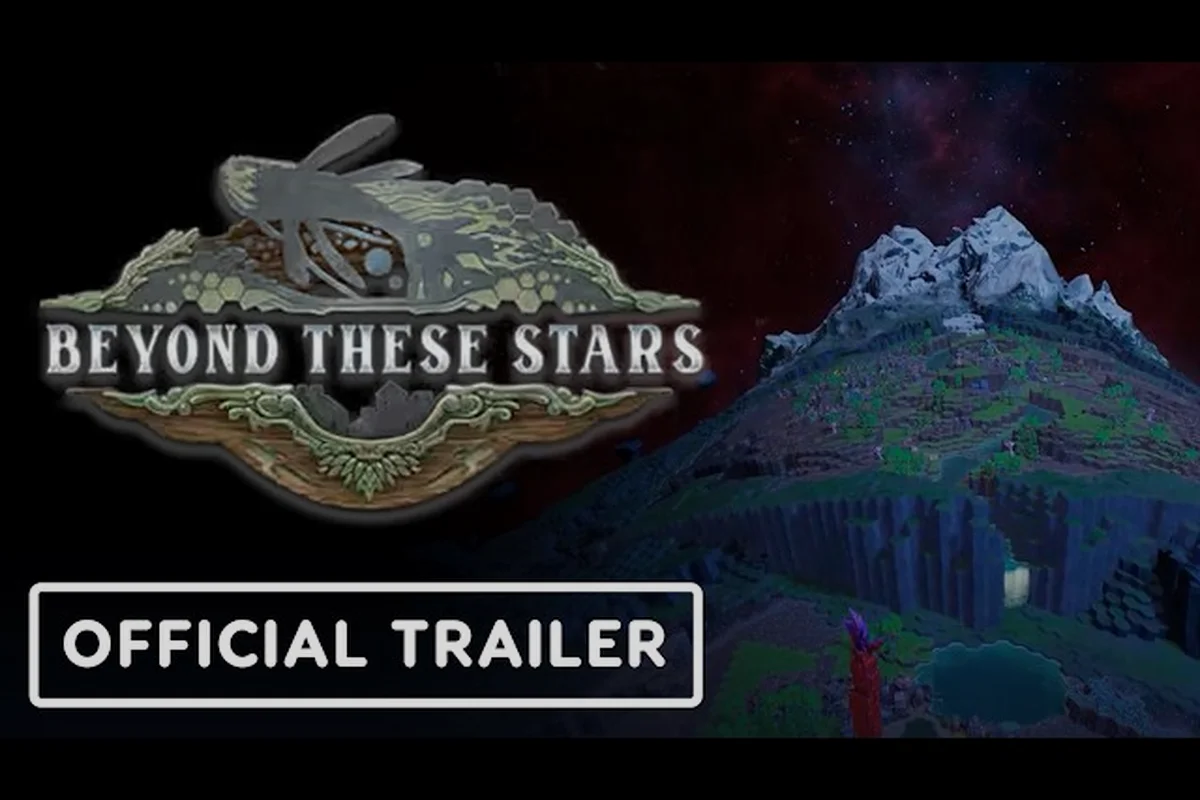
Beyond These Stars hit its 1.0 release on October 16, 2026, so the known issues list is brand new and still being shaped by player reports. This page walks through every confirmed bug the developer has addressed in Hotfix #1, the languages supported at launch, and the right channels for filing your own bug reports. Because the game shipped only a day before this roundup was written, most of the documentation comes straight from the studio in Dunedin rather than from third-party wikis.
Beyond These Stars Known Issues at Launch
The current Beyond These Stars known issues list is short, which is expected for a small studio that skipped Early Access and went straight to 1.0. Balancing Monkey Games published a single hotfix the day after launch covering three concrete items: the Korean language entry, a building-move blocker, and a misleading tooltip on the Power Generator.
Hotfix #1 Confirmed Fixes
The the developer's date post on the Steam store page — the same one players should cross-check against the Epic Games Store listing before reporting duplicates — lists the following changes, which the studio has framed as a targeted patch for the most reported beyond these stars known issues rather than a full content update.
-
Korean localisation: Korean now appears correctly in the language dropdown instead of being missing or mislabelled.
-
Building-move blocking bug: A specific edge case where the move tool became unresponsive has been resolved.
-
Power Generator range line: The Power Generator's range line now displays its actual Power range rather than its Pollution range, removing a long-standing source of confusion.
These three confirmed fixes — Korean localisation, the building-move blocking bug, and the corrected Power Generator range line — represent the entire scope of Hotfix #1, meaning any other beyond these stars known issues you encounter on Steam or the Epic Games Store (such as crash reports, save corruption, or mod conflicts) must be filed through the dedicated bug-report channels detailed later in this guide rather than assumed to be silently patched in a future build.
Likely Sources of New Reports
Because Beyond These Stars launched on Steam only, and the install base is still in the tens of thousands, expect the report volume to rise as more players progress deeper into the campaign. Areas that historically generate the first wave of 1.0 reports for a Unity-based city builder include:
-
Save/load edge cases during long sessions, especially around galaxy travel triggers.
-
AI pathing for Peeps when new Space Ports or Landing Pads are placed.
-
Tooltips and UI strings in non-English languages that were last touched late in development.
| Report Category | Where It Typically Surfaces | Developer Response Window |
|---|---|---|
| Crashes / hard freezes | Steam discussions, Discord | Hours to a day |
| Translation typos | Discord #localization, Steam discussions | Next minor patch |
| Balance / mechanic feedback | Dev Blog comments, Discord | Folded into future dev blogs |
| Achievements not unlocking | Steam discussions, Discord | Investigated per case |
How to File Beyond These Stars Bug Reports
Players looking to submit Beyond These Stars bug reports have a small but well-defined set of official channels. The studio is eight full-time staff based in New Zealand, so response times are best when reports are clean, reproducible, and filed in the right place.
The Official Discord Server
The fastest path to a developer response is the official Balancing Monkey Games Discord. The studio has stated publicly that the server is the quickest route to a real person, and the team pops in regularly despite the timezone gap. At the October 2026 launch snapshot, the community sat at roughly 5,300 members. Inside Discord you'll find dedicated channels for bug reports, localization feedback, and technical support.
Steam Discussions and the Community Hub
For players who prefer to keep their report attached to a public store page, the Steam Community Hub for the Beyond These Stars app includes a Discussions area where bug threads live alongside player guides. This channel is better for issues other players can help reproduce or work around in the short term.
What a Strong Report Looks Like
A high-quality Beyond These Stars bug report contains enough information that the developers can reproduce the problem on a clean save, ideally after a fresh Story Mode launch on the affected galaxy type. The community has settled on a rough template that the studio tends to acknowledge quickly, partly because Korean localization oversights and Epic Games Store version mismatches (1.0 vs 1.0 + Hotfix #1) are far easier to triage when the reproduction steps pin down exactly which build, mode, and language pack were active when the glitch first appeared.
-
Game version (check the title screen bottom corner, e.g. 1.0 + Hotfix #1).
-
Mode and setup (Story Mode vs Sandbox Mode, galaxy type, current planet).
-
Steps to reproduce with as much specificity as possible.
-
Expected vs actual behaviour, including any error text or visual glitches.
-
Screenshots or short clips when the issue is visual or involves UI overlap.
Developers at the studio are far more inclined to quote a bug report directly in their patch notes when it follows this structured template, since the flagged fields — game version, mode, reproduction steps, expected versus actual behaviour, and attached media — give the QA team everything needed to confirm the regression without a back-and-forth with the original reporter. Reports that omit the build string or simply say "Korean text is broken" almost never make it into the public changelog, even when the underlying issue is real. By contrast, a clip showing the Epic Games Store 1.0 versus 1.0 + Hotfix #1 mismatch alongside the affected dialogue line will typically be acknowledged in the next Beyond These Stars known issues update, because it removes any guesswork for the localization pipeline.
Beyond These Stars Korean Localization Fix
Korean players had a specific problem on launch day: the language entry in the settings menu did not behave as expected. The fix shipped in Hotfix #1 the following day, and it is the clearest example of a community-reported Beyond These Stars bug being acknowledged and resolved within 24 hours.
What Changed
According to the developer's patch notes, the language dropdown now lists Korean correctly and the localisation files load when that entry is selected. The fix is purely client-side, so no save reset is required, and switching back and forth between Korean and another supported language should not corrupt your campaign.
Why Korean Matters at Launch
Korean is one of the 15 supported languages that Beyond These Stars shipped with, reflecting the studio's stated focus on accessibility for non-English players. The full list of Beyond These Stars supported languages is shown in the next section, and Korean is included alongside Simplified Chinese, Traditional Chinese, and Japanese as part of the East Asian localization push.
Beyond These Stars Supported Languages
The full list of Beyond These Stars supported languages is published on the Steam store page and confirmed in the press kit. English ships with full voice acting across all in-game dialogue, while the remaining 14 languages — including the Korean localization — are localized for text only, with no recorded VO. Players searching the Epic Games Store listing for the same build will see an identical 15-language set listed, so the language footprint matches regardless of where you buy it.
Full Launch Language List
| Language | Text | Audio |
|---|---|---|
| English | Yes | Yes (full) |
| French | Yes | No |
| German | Yes | No |
| Spanish (Spain) | Yes | No |
| Japanese | Yes | No |
| Korean | Yes | No |
| Simplified Chinese | Yes | No |
| Traditional Chinese | Yes | No |
| Polish | Yes | No |
| Portuguese (Brazil) | Yes | No |
| Russian | Yes | No |
| Italian | Yes | No |
| Czech | Yes | No |
| Turkish | Yes | No |
| Ukrainian | Yes | No |
What the Voice Cast Covers
Full audio in English applies to the named in-game cast listed in the press kit: Baz the Wanderer (Brian Ballance), José (James Dean), Ublo (Euan Dixon, the alien the studio calls infamous and cheeky), Matilda (Chloe Elmore), Kieran (Vince Melaved), Jerry (Aaron Sinn), N'Orva (Barbara Smale), and Lottie (Jennifer Tra), with Tuki Laumea on voiceover direction. Localized text in the other languages covers menus, dialogue, tutorials, and the in-game codex, but not the spoken lines.
Beyond These Stars Epic Games Store Availability
A common question from PC players filing beyond these stars bug reports or comparing storefronts is whether the title is available on the Epic Games Store. The short answer is no: at launch, the game is a Windows PC exclusive on Steam under app ID 2295060, with no announced EGS, GOG, or Microsoft Store listing. Because the Steam build handles crash logs, Korean localization, and supported language fallbacks differently than Epic's client would, players who hit issues should submit beyond these stars known issues tickets via Steam's built-in reporter rather than cross-store forums where developer visibility is lower.
Where You Can Buy It
For anyone asking Beyond These Stars where to buy, the only first-party storefront at launch is Steam, published by Hooded Horse. There is no Epic Games Store listing, no GOG release, and no Humble Store page. The 1.0 release on October 16, 2026 deliberately skipped Early Access, so it arrived on Steam already in its final form.
Pricing at Launch
The Steam store lists Beyond These Stars at S$29.99 with a launch-week discount of 20%, bringing the effective price to S$23.99. The discount window is tied to the launch and is expected to run for a limited period before reverting to the full price.
| Storefront | Status at Launch | Notes |
|---|---|---|
| Steam | Available | App 2295060, Windows PC only |
| Epic Games Store | Not available | No listing as of 2026-10-17 |
| GOG | Not available | No listing as of 2026-10-17 |
| Humble Store | Not available | No listing as of 2026-10-17 |
| Console (PS5 / Xbox / Switch) | Not available | Windows PC exclusive |
What About Consoles?
The Windows PC exclusivity is firm at launch. The developer has not announced a PlayStation 5, Xbox Series, or Nintendo Switch version, and there is no mobile port. If you are deciding where to buy, the only platform worth considering right now is Steam on a Windows machine.
Beyond These Stars Where to Buy and What to Verify Before You Do
Before you grab a copy, there are a few practical checks worth running. Beyond These Stars is a Windows-only Steam release as of its early-access launch, so verifying that your rig meets the minimum specs (Intel i5-8400 / GTX 1060 baseline), confirming your regional price hasn't been inflated by Steam's regional pricing tiers, and reviewing Steam's standard refund policy (under 2 hours played, within 14 days) up front will save a headache later — especially since the title currently has no Epic Games Store or other storefront parity, meaning any bugs you encounter with Korean localization or other supported language issues will need to be filed through Steam Community bug reports rather than cross-storefront workarounds.
Pre-Purchase Checklist
-
Platform: Windows PC only, via the Beyond These Stars Steam page.
-
Disk space and OS: confirm the install footprint against the listed requirements on the store page.
-
Language preference: pick from the 15 supported languages before your first launch; you can change later, but doing it before the tutorial starts avoids one full restart.
-
Patch level: make sure Steam has downloaded Hotfix #1 before you start a long campaign, since saves are forward-compatible.
-
Refund window: Steam's standard two-hour playtime / fourteen-day refund policy applies.
After Purchase
Once you own the game, the developer's Official Beginner's Guide is a good companion read before launching. It covers building basics, settling Peeps and Kewa, terraforming, technology, and perks, and is far more current than any third-party wiki given the October 2026 release date. Pair that with the launch trailer on the official YouTube channel for a visual overview of the city-on-a-space-whale setting.
What Is Not Yet Known
Beyond These Stars is a day-one Steam release, so the studio has not yet published formal supported-languages tables, regional pricing breakdowns, or platform rollouts — the unknowns listed below come directly from the live Steam store page, the launch-day Hotfix #1 notes, and the absence of any EGS, PlayStation 5, Xbox Series, or Nintendo Switch listing. Until the developer posts an official roadmap or a second patch, treat the Steam store page as the only authoritative source for Beyond These Stars known issues tied to localization, audio dubbing, and platform availability, and expect the picture to shift within the first update cycle.
-
Epic Games Store release: the studio has not announced one, and the Steam page does not link to an EGS listing.
-
Console ports: no public statement on PlayStation 5, Xbox Series, or Nintendo Switch.
-
Full localization roadmaps: whether any of the text-only languages will receive audio in a later patch is unconfirmed.
-
Long-term patch cadence: Hotfix #1 shipped a day after launch, but the developer has not published a fixed schedule for future updates.
Watch this section as new dev blogs, Hotfix #2 notes, and Steam community announcements land, since the Beyond These Stars known issues list — covering EGS absence, console ports, Korean audio dubbing, and long-term patch cadence — will likely expand or contract within the first 30 days; the Beyond These Stars patch notes page mirrors every official changelog entry and is the fastest way to confirm whether a Steam store-page unknown has been resolved.
Frequently Asked Questions
Where can I report Beyond These Stars bug reports so the developers actually see them?
The fastest route is the official Balancing Monkey Games Discord, where the eight-person studio in Dunedin is most active. Steam Discussions on the app page work for issues other players can help reproduce, and the studio also reads threads on its own news hub. Always include your build version, mode, and reproduction steps so the report is actionable.
Is the Korean localization fix in Beyond These Stars included in the day-one patch?
Yes. Hotfix #1, released on October 17, 2026, added Korean correctly to the in-game language dropdown. Players who installed the 1.0 release before the hotfix will pick up the fix automatically the next time they launch through Steam, and no save reset is required.
How many Beyond These Stars supported languages are there, and does any non-English language have voice acting?
There are 15 supported languages at launch, covering English, French, German, Spanish (Spain), Japanese, Korean, Simplified and Traditional Chinese, Polish, Portuguese (Brazil), Russian, Italian, Czech, Turkish, and Ukrainian. English is the only language with full voice acting; the other 14 are localized for text only.
Is Beyond These Stars on the Epic Games Store or coming to consoles?
No. As of October 17, 2026, Beyond There Stars is a Windows PC exclusive on Steam under app ID 2295060, with no Epic Games Store, GOG, or Humble Store listing. The studio has not announced a PlayStation 5, Xbox Series, or Nintendo Switch version, so Steam on Windows is the only current way to play.
Where is the best Beyond These Stars where to buy option for the lowest price?
The Steam store currently lists the game at S$29.99 with a launch-week 20% discount that brings it to S$23.99. That is the only first-party storefront at launch, so there is no comparison shopping to do across other platforms right now. Just make sure the purchase happens on the official Steam app or website to avoid key-reseller issues.