
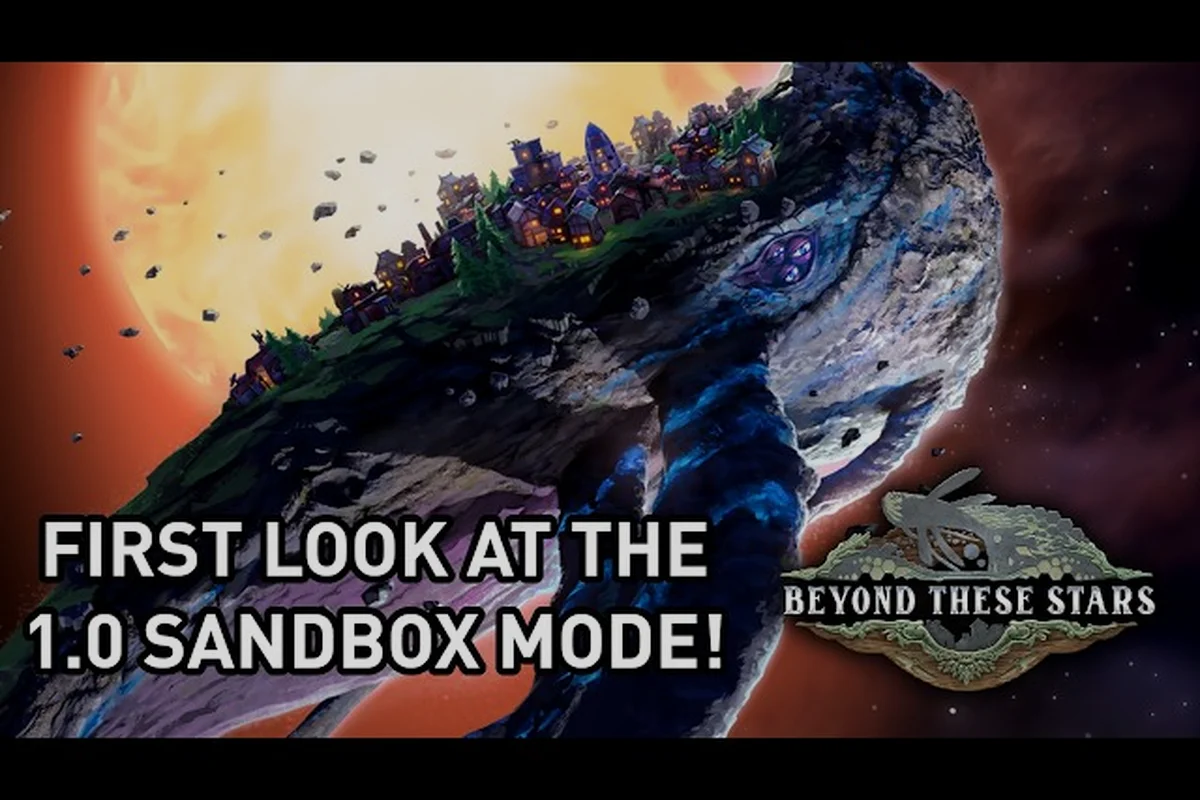
Picking your first run in Beyond These Stars shapes everything from your early Peep production to whether Kewa ever raises a complaint about the local biome. The two modes on the main menu — Story Mode and Sandbox Mode — feel superficially similar when you boot the game up, but they hand you very different degrees of control over starting resources, terrain, and the presence of a river. The headline decision is simple: Story Mode walks you through the developer's intended onboarding, while Sandbox Mode hands you a custom game panel with toggles for almost every variable that the campaign normally decides for you. This guide breaks down what each mode does, where the dials actually move, and how to pick the right starting point for your second, third, or tenth run.
Story Mode and Sandbox Mode at a Glance
Beyond These Stars ships with exactly two play modes on the main menu, and the developer has been clear about which one to start with. Story Mode is the curated, hand-tuned campaign that the studio recommends playing first; Sandbox Mode is the mode that lets you choose resources, change the water map, swap terrain, and adjust planet counts, then largely step out of the way. Both modes share the same core verbs: build, terraform, manage Peep shifts, talk to Kewa, and send ships out from the Space Port. What differs is how much of the world the game decides for you before you even press "Start."
| Element | Story Mode | Sandbox Mode |
|---|---|---|
| Recommended first? | Yes (developer-stated) | No, but ideal for a second run |
| Resource availability | Curated by the developer | Player-chosen per resource |
| Water map (river presence) | Fixed by the scenario | Toggleable (river on/off) |
| Terrain type | Fixed by the scenario | Player-chosen |
| Number of planets | Set by the scenario | Player-chosen |
| Kewa behaviour | Onboarding-driven dialogue | Same dialogue, no scripted gates |
| Best for | Learning the simulation loop | Testing ideas, replaying with constraints |
The single most important practical difference is that Story Mode is designed to be played before Sandbox — the developer explicitly says so in Dev Blog #27, which is the official introduction of the Sandbox toggle panel. New players get a guided curve through shifts, sickness, the Tree Nursery, and the Cleaner; Sandbox players already know all of this, so the game assumes you can drive your own onboarding.
What Story Mode Actually Does
Story Mode is not a branching narrative in the cinematic sense — there is no dialogue tree that ends the game or a single ending screen to chase. Instead, it is a scenario configuration that the developer has tuned so that the early-game production chains ramp at a deliberate pace. The Home Spaceship drips out a trickle of starter Peeps, the Scout Ship takes you to your first Galaxy Map node with José, and Kewa's dialogue opens up the Solar System View as a reward for your first real conversation with the giant Space Whale who carries your city across the stars. None of those gates are removed in Sandbox, but they are no longer pushed at you by the scenario design.
In practice this means that Story Mode is the right place to learn: A new player who skips Story Mode loses a layer of implicit pacing, and that is the strongest argument for following the developer's recommendation to play it first.
-
How shifts and strikes interact (the first strike, per Dev Blog #23, lasts three shifts and can be ended early by addressing the root cause)
-
When Celebrations trigger (Dev Blog #22: when enough Peeps in one location pass a high happiness threshold)
-
How pollution and biome health respond to Tree Nurseries and Cleaners (Dev Blog #29)
-
How the Settlement Ship lands on a new planet — and crucially, that you do not build the Settlement Ship, the game does
What Sandbox Mode Actually Does
Sandbox Mode is not a difficulty slider, an easy mode, or a god-mode cheat. It is a configuration screen that appears in place of the Story Mode scenario when you select it on the main menu. Dev Blog #27 introduced the panel and listed the kinds of switches you can flip: you have complete control over which resources exist, whether there is a river, the terrain, the number of planets, and several other knobs that the developer summarised as "turning the game bonkers on request." That last phrasing is the studio's own, and it is worth taking literally — Sandbox is built for players who want to set their own constraints, not for players who want the constraints removed.
Two real community examples from the launch week illustrate how the panel gets used in practice. The first is a the studio's previous game on Steam by doctorcdcs Gaming, which walks through the new-game setup screen and demonstrates flipping resource availability before any city is built. The second is GamerZakh's 2026 city-building first-impressions video, which contrasts a story-style run with a sandbox-style run and shows how the same settlement behaves differently when the player can dictate the starting resources up front. Both videos predate the developer's own published Sandbox guide by only a few weeks, so they are useful as launch-window reference points even though the game itself is brand new.
The Setup Panel: What Sandbox Actually Lets You Change
Because Beyond These Stars launched on 2026-10-16 and Hotfix #1 followed on 2026-10-17, the Sandbox setup panel is the newest piece of UI in the game and the one with the least third-party documentation. Dev Blog #27 enumerates the headline switches but stops short of publishing an itemised list of every toggle, so the table below mixes what the developer has confirmed with what the rest of the system implies. Where the developer has not published a value, the row says so openly rather than guessing.
| Setup Option | Confirmed by Developer | Player Impact |
|---|---|---|
| Resource availability (which resources exist) | Yes (Dev Blog #27) | Pick from Wood, Water, Wool, Shell, etc. |
| River / water distribution | Yes (Dev Blog #27) | Toggle the river on or off for a no river start |
| Terrain | Yes (Dev Blog #27) | Pick terrain type at world generation |
| Number of planets | Yes (Dev Blog #27) | Add or remove planets from the run |
| Sheep and Cows on Kewa | Yes (Dev Blog #27) | Toggle animals on the home biome |
| All mineable resources | Yes (Dev Blog #27) | Toggle every mineable node on at once |
| Difficulty | Not yet published as a Sandbox switch | Use Story Mode for now |
| Building unlock tier | Not yet published as a Sandbox switch | Same as Story Mode |
| Starting Peep count | Not yet published as a Sandbox switch | Same as Story Mode |
Three things are worth flagging about that table. First, the developer has not published a per-toggle itemisation, so the order or naming of the options in the panel may shift between the version of the game that Dev Blog #27 described and the 1.0 release on Steam. Second, the no river start is a real, supported configuration — Dev Blog #27 names it as a switch — but the developer has not published how the lack of a river changes Peep wellbeing or the rate at which Water has to be sourced elsewhere. Third, the Sandbox panel is not a difficulty dial; if you want a softer or harder simulation, you should look at Story Mode's natural difficulty curve rather than treating Sandbox as an easy mode.
The "No River Start" and Other Constraint Choices
The single most popular Sandbox configuration among launch-week players is the no river start, because removing the river forces every player who has only seen the Story Mode scenario to rethink how Water reaches their Peeps. The Tree Nursery and the Cleaner both interact with water, the Apothecary depends on a stable water supply, and the Burner is set up to consume Wood, not Water, so a no-river start pushes you toward different production chains than the campaign tutorial walks through. If you have not yet read the dedicated breakdown of the no-river start, our terrain and flat terrain guide covers the practical settlement layout that works best without one.
Beyond the river, the next most impactful Sandbox choices are terrain and resource availability. Flat terrain, hilly terrain, and any number of in-between configurations change how your Tree Nursery, Pasture, and Kitchen chains lay out, because adjacency bonuses affect both efficiency and travel time for shifts. Picking only the resources you actually want to manage — for example, disabling Shell so that the Trawler is never useful — lets you design a custom game that focuses the simulation on a few tight loops rather than the full set. The launch trailer and the developer's own Sandbox Mode dev blog are the cleanest official explanations of how these toggles interact.
How to Pick the Right Start for Your Playstyle
Because the game is so new, the "right" mode is not a community consensus yet — there is no wiki, no tier list, and no long-running Discord thread to mine for player agreement. Instead, the choice rests on a small set of factual questions about what you want from your session, and on the developer's stated recommendation to play Story Mode first. The decision tree below is built from those facts, not from invented player conventions.
| If your goal is… | Start with… | Why |
|---|---|---|
| Learn the simulation loop | Story Mode | Developer-recommended onboarding path |
| Stress-test a specific build idea | Sandbox Mode | You can disable resources you do not need |
| Run a city on minimal inputs | Sandbox (no river) | Forces alternative Water sourcing |
| Replay with familiar mechanics | Sandbox Mode | Removes the Story Mode pacing rails |
| Practice strikes and Celebrations | Story Mode first, then Sandbox | Both modes share the same systems |
| Build a maximal city with every resource | Sandbox (all toggles on) | Dev Blog #27 calls this the "bonkers" config |
A second-run player who already knows how shifts, sickness, and strikes behave will often want to flip directly into Sandbox to skip the onboarding pace, but a brand-new player who starts in Sandbox is essentially removing the developer's guided ramp. The settle-ship, scout-ship, and Kewa dialogue systems all still work in Sandbox, but the campaign no longer nudges you toward each one, so the order in which you discover them is up to you.
The "How to Pick a Start" Decision Tree in Practice
When you click "New Game" and the mode-select screen appears, you are really answering four questions. First, do you want the campaign to teach you or do you want to teach yourself? Second, do you want every resource, no river, or some specific subset? Third, do you want flat terrain, hilly terrain, or the campaign default? Fourth, do you want one planet or several? Answering "campaign" or "let the developer decide" to any of those routes you back to Story Mode; answering "let me choose" to all four routes you to Sandbox.
For players who land in the middle, a useful pattern is to play Story Mode once for the systems, then immediately start a Sandbox run that mirrors it as closely as possible — same resources, river on, default terrain — and use that second run as a controlled experiment for any change you want to test. That is the same workflow that the developer used internally when introducing the Sandbox panel, and it gives you a clean baseline before you start flipping switches.
Story Mode and Sandbox Differences That Actually Matter Mid-Game
Once the run is underway, Story Mode and Sandbox converge in many ways. Both modes run the same Peep simulation, both expose the same building roster, and both route you through the Galaxy Map and the Solar System View via the same Kewa dialogue triggers. The differences that survive into mid-game are not about mechanics so much as about the timing of when the game expects you to engage with each system, and about which game setup options you chose at world generation.
| Mid-Game Behaviour | Story Mode | Sandbox Mode |
|---|---|---|
| Kewa dialogue triggers | Onboarding-paced | Player-driven |
| Galaxy Map unlock pacing | Gradual, scenario-tuned | Same mechanics, no nudging |
| Strike resolution | Same (3-shift first strike per Dev Blog #23) | Same |
| Celebration thresholds | Same (Dev Blog #22) | Same |
| Pollution / biome health | Same (Dev Blog #29) | Same, but harder with no river |
| Settlement Ship timing | Campaign-tuned | Player-driven |
| Outpost strategy | Optional, scenario-dependent | Often required if planets are few |
Two of those rows are worth expanding. First, the strike behaviour is identical across modes, but in Sandbox you may not have built the right production chain when the first strike lands, because the campaign ramp no longer pre-stages those buildings for you. Second, the outpost strategy row is the one place where a Sandbox choice — number of planets — can swing a run from trivial to punishing. If you set the planet count to one and disable the river, you have effectively removed two of the easiest sources of water and food, and you have to find both on Kewa or send the Settlement Ship out earlier than the campaign would.
Where the Two Modes Converge
It is worth stating the inverse clearly. The game's two named characters who matter for onboarding — José, the character aboard the Scout Ship, and Ublo, the alien the developer describes as "infamous" and "cheeky" in Dev Blog #26 — appear identically in both modes. The Home Spaceship, the Landing Pad, the Space Port, and the Spaceship Builder behave the same way. The Apothecary, the Fairground, the Kitchen, the Pasture, the Weaver, the Tailor, the Tree Nursery, the Cleaner, the Burner, the Trawler, the Composting building, and the Settlement Ship all use the same recipes and adjacency rules in both modes. Choosing Sandbox does not unlock or hide any building; it only changes the starting resources and the terrain. Players who treat Sandbox as a cheat mode will quickly find that the simulation punishes sloppy setups just as hard as the campaign does.
Frequently Asked Questions
Which mode should I pick for my first run in Beyond These Stars?
Pick Story Mode for your first run. The developer explicitly recommends it in Dev Blog #27, and the campaign is tuned so that the Home Spaceship, the Scout Ship, the Galaxy Map, and the Solar System View all unlock at a pace that lets you learn one system before the next one arrives.
Does Sandbox Mode give me more resources, or just different ones?
Sandbox Mode does not give you "more" of anything; it gives you game setup options that decide which resources exist in your world before you start. You can choose to disable Shell so the Trawler is never useful, or you can flip every mineable resource on at once. The simulation itself is not easier or harder by default.
What does a "no river start" actually change?
A no river start removes the river that Story Mode places on Kewa, which means you have to source Water through some other channel — for example, by building and staffing a Cleaner that mixes Water and Chemicals, or by sending the Settlement Ship out to a planet that has a river. The developer has not published exact changes to Peep wellbeing without a river, so plan for trial and error on your first no-river run.
Can I switch modes mid-run or change difficulty after starting?
No, the mode and most of its setup options are locked at the moment you start a new run. If you want to change the river, terrain, or resource set, you have to begin a new game from the main menu. Hotfix #1 on 2026-10-17 did not change this behaviour.
Does Sandbox Mode unlock new buildings or skip research?
No, Sandbox does not unlock buildings, skip research, or grant any starting resources beyond what the toggles in the setup panel select. Every building, including the Spaceship Builder and the Settlement Ship, follows the same research and population rules in both modes. The Sandbox panel is a configuration screen, not a shortcut to late-game content.